
Automating 404 Prevention: Syncing Your Sitemap Monitor with Your Dev Team
Learn how to prevent broken links and automate sitemap audits. Sync your sitemap monitoring with your dev team for seamless SEO QA testing and immediate alerts on unexpected changes.
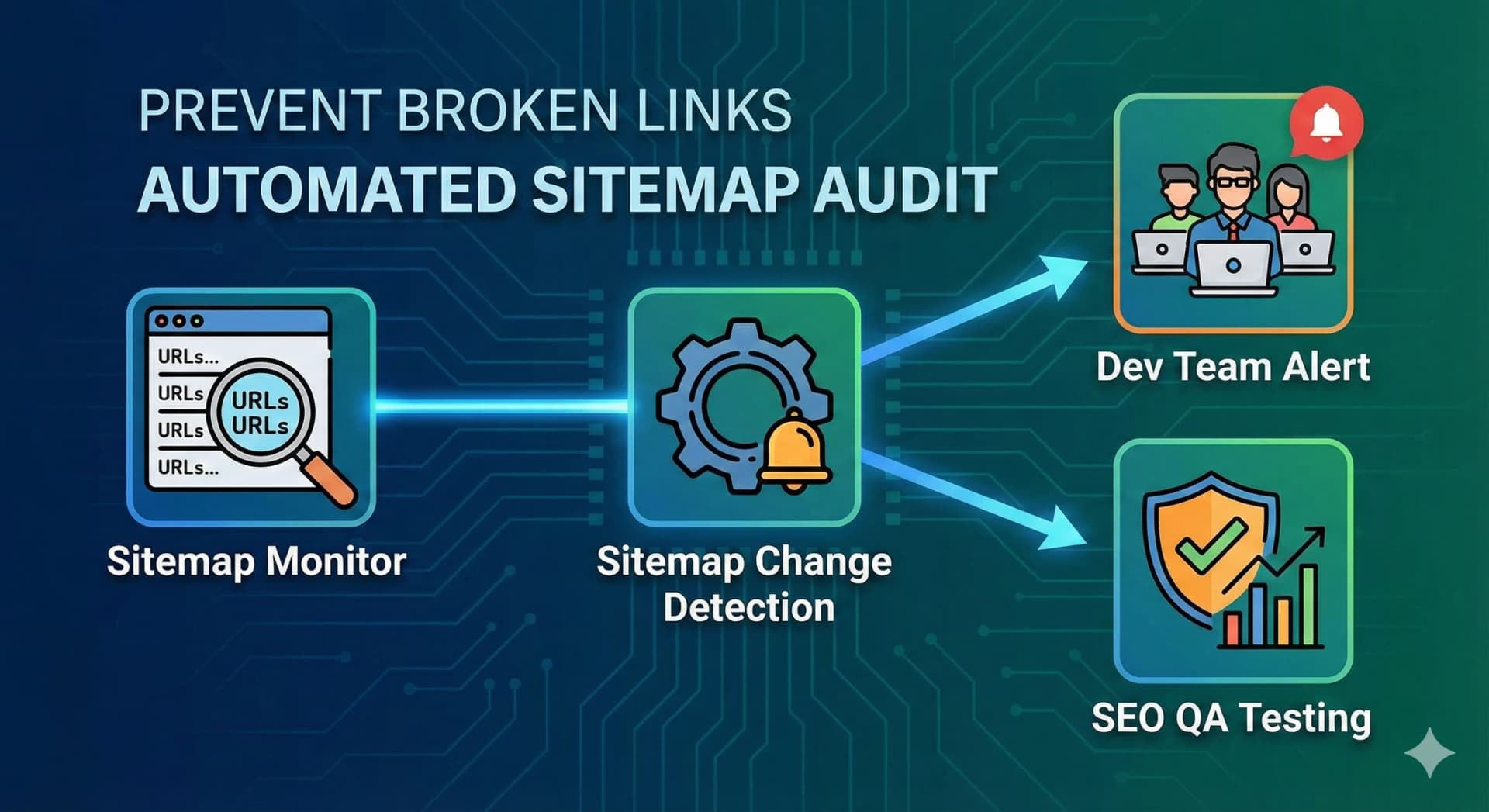
Automating 404 Prevention: Syncing Your Sitemap Monitor with Your Dev Team
In the complex ecosystem of large-scale websites, maintaining a healthy sitemap is crucial for SEO performance. A sudden drop in indexed pages or the accidental removal of valid URLs from your sitemap can have immediate, negative impacts on your search rankings. This technical guide explores how to automate 404 prevention and sync your sitemap monitoring directly with your development team's workflow.
The Hidden Cost of Sitemap Drift
For large sites, manually checking sitemap.xml files after every deployment is impractical. However, "sitemap drift"—where valid URLs drop off the sitemap while the page remains live, or vice versa—is a common issue.
- Ghost Pages: Pages that exist but aren't in the sitemap may be orphaned and de-indexed.
- Broken Links (Soft 404s): URLs remaining in the sitemap that return 404s or redirect unexpectedly waste crawl budget and hurt site authority.
- SEO Blindspots: If your sitemap shrinks unexpectedly after a deployment, it often signals a configuration error or a bug in the build pipeline.
How It Works: Automated Sitemap Change Detection
WebMonitors.io provides a specialized Sitemap Change Detection monitor that acts as an automated QA tester for your SEO infrastructure.
1. Establishing a Baseline
When you set up a monitor on your sitemap.xml (or sitemap-index.xml), WebMonitors establishes a baseline of your current URL structure. It parses the XML to understand the count and specific locations of your pages.
2. Monitoring for Shrinkage
The most critical alert for a dev team is sitemap shrinkage.
- Scenario: A deployment goes live, and a bug in the routing logic causes 500 product pages to be omitted from the generated sitemap.
- Detection: WebMonitors detects that the URL count has dropped significantly compared to the previous scan.
- Alert: An immediate notification is sent to your engineering channel (Slack, Microsoft Teams, or PagerDuty).
3. Detecting New and Removed Urls
Beyond simple counts, the monitor diffs the sitemap content.
- New URLs: Verify that new landing pages or products are correctly appearing after launch.
- Removed URLs: Instantly spot if critical pages have been accidentally removed.
Syncing with Your Dev Team
To make this actionable, integrate the monitoring loop into your CI/CD and operations workflow.
Integration Strategy
- Post-Deployment Checks: Configure the monitor to run immediately after your deployment pipeline finishes.
- Slack/Discord Integration: Pipe alerts to a specific
#seo-opsor#dev-alertschannel. This ensures the developers responsible for the build see the issue immediately, rather than waiting for an SEO specialist to notice a traffic drop weeks later. - Webhook Payloads: Use Webhooks to trigger automated rollback scripts or ticket creation in Jira if a critical sitemap failure is detected (e.g., sitemap is empty or returns 404).
Benefits of Automated Sitemap Auditing
- Prevent Revenue Loss: Ensure high-value pages remain indexable.
- Save Developer Time: Eliminate manual checks and "fire-fighting" modes when SEO issues surface later.
- SEO QA Testing: Treat your sitemap health as a unit test that runs continuously in production.
By syncing your sitemap monitor with your dev team, you transform SEO from a reactive maintenance task into a proactive, automated quality assurance process.